
2nd Line+ Second Number & eSIM
MobileOcean BilisimCommunication
4.51.04K Reviews
- Version
- 2.1.1
- Installs
- 1.00M
- Age Rating
- Everyone
Screenshots
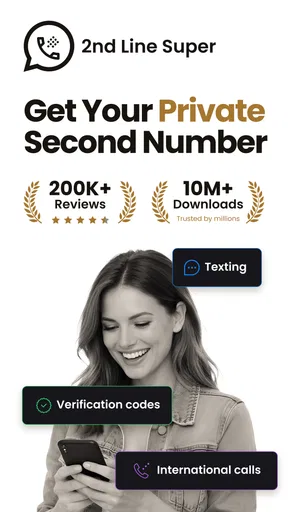
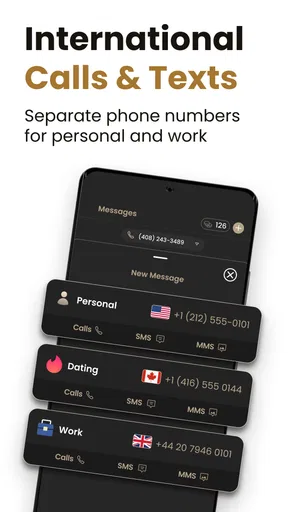
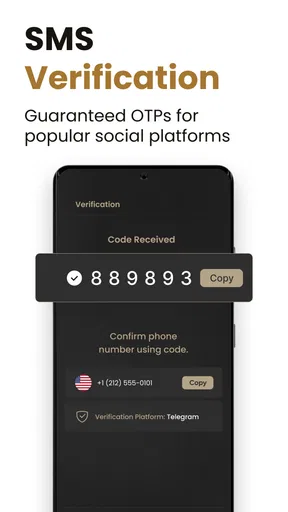

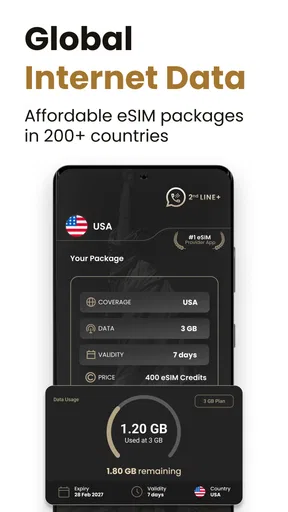
Our Review of 2nd Line+ Second Number & eSIM
 Analysis by Appyee
I think of 2nd Line+ Second Number & eSIM as a practical option for people who want a separate number without carrying another handset. That separation can be useful for freelance enquiries, temporary projects, or giving a number to people you do not want contacting your personal line. It is a communication app from MobileOcean Bilisim, and its appeal is straightforward: keep another number’s calls and texts in one place on your phone. The key question is whether that extra line fits the way you actually communicate, especially when you are relying on a mobile connection.
Getting Started with 2nd Line+
Let’s dive into how easy it is to get started with 2nd Line+ Second Number & eSIM. The app’s interface is user-friendly, which is a huge plus for those who aren’t tech-savvy. Once you download it, setting up a second line is straightforward. You don’t need another SIM card or a separate device. Just a few taps and you’re good to go.
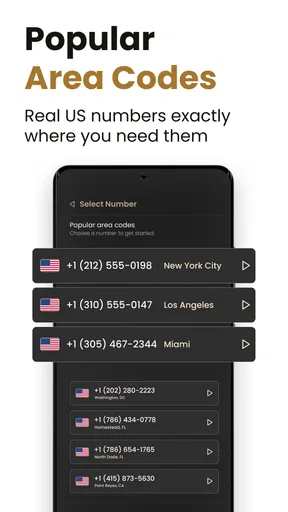
One of the standout features is the ability to choose your own number. This is a game-changer if you’re aiming for a professional image or need a number with a specific area code. The app provides a wide range of numbers to pick from, making it convenient for both local and international users.
When a second line earns its place
The most useful way to think about a virtual line is as a boundary, not simply another number to collect. I would use it for a side business, a short-term client project, or listings where I want prospective customers to reach me without handing out my everyday number. It also gives me a clearer signal when a call comes in: a ring on the second line is more likely to be work-related, so I can decide whether to answer based on what I am doing.
There is a trade-off, though. A second number only helps if I remember to check it and tell the right people which line to use. Before sharing it widely, I would test a call and a text, then make sure the number is saved under a clear label in my contacts. That small setup step can prevent the awkward moment of answering a work enquiry as if it were a personal call.
For a person who needs a stable number for long-term identity checks, banking, or essential account recovery, I would be more cautious. Services sometimes handle virtual numbers differently from conventional mobile numbers, and acceptance can vary. I would keep my primary number for critical accounts unless I had confirmed that a particular service accepts the second line.
Features That Make Life Easier
Now, let’s talk about the features that make this more than just a second line. It offers unlimited calling and texting within the US and Canada, which is a massive perk for anyone doing business across borders. You can even send pictures and audio messages without a hitch.
Another nifty feature is the voicemail transcription. We’ve all been there – missing a call and then struggling to catch up. With this app, your voicemails are transcribed into text, so you can quickly read through and respond. It’s a massive time-saver!
Let’s not forget call forwarding, which is perfect for when you’re on the go and can’t take a call directly. The app allows you to forward calls to any other number, ensuring you never miss an important conversation.
How it fits into an ordinary day
Imagine I am arranging a repair at home while also expecting calls from clients. I can give the repair service the second number, keep my personal line for family, and use the separate call history to recognize which conversation is coming in. If I am in a meeting, forwarding may help route calls elsewhere, while voicemail transcription can make it easier to spot whether a message needs a quick reply. It is not a substitute for being reachable everywhere; it is a way to organize incoming communication when I have a usable connection.
A useful habit is to set expectations with anyone who gets the number. I would say which hours I usually check it and whether texts are the best way to reach me. That matters because a second line can make contact easier for others, but it can also create another inbox to monitor. If I use it for a one-off sale or temporary project, I would avoid giving it to unrelated contacts and would review whether I still need that line after the task is finished.
The app’s call and message tools are most valuable when the other person can reach the line reliably. In a place with weak mobile data or unstable Wi-Fi, I would not treat it as my only route for urgent communication. For important arrangements, I would keep a backup contact method and avoid assuming that a missed call will always be followed by a readable transcript or a successful callback.
Security and Privacy
In a world where privacy is paramount, the app doesn’t disappoint. The published description of its protections includes end-to-end encryption, giving you peace of mind that your conversations are secure. It’s clear that the developers understand the importance of keeping your personal information private.
Moreover, the app allows you to lock it with a passcode, adding an extra layer of security. So, even if someone gets hold of your phone, they can’t access your second line without the code.
I would still treat a second number as a privacy tool with limits, rather than a promise of anonymity. A number can reduce how often I expose my main line, but people I contact may still recognize me from details I share in calls or messages. I would also use a strong device passcode and be careful about message previews on a shared screen. The app lock is useful when someone briefly handles my phone, but it does not replace sensible account and device security.
What to expect when connectivity falters
Because this is a virtual communication line, I would plan around the connection rather than assume it behaves exactly like a conventional SIM line in every setting. Calls and messages depend on the app being able to communicate over the available network. If a call does not arrive, I would first check whether the phone has a working internet connection, then reopen the app and look for missed calls or messages before asking the other person to try again.
For a planned trip or a day spent moving between buildings, I would test the second line before relying on it for a time-sensitive conversation. A quick outgoing call and text can reveal whether the setup is working in that location. If I expect to be somewhere with patchy service, I would share a backup number with the person waiting for me. That is a more realistic safety net than assuming call forwarding or notifications will solve every connection problem.
When changing phones or reinstalling an app, I would make sure I can access the account and understand how the number is managed before depending on it for ongoing work. A second line is most valuable when it is not the only place important messages can reach me. Keeping essential contacts informed of an alternate route can make recovery less stressful if the app or connection needs attention.
Cost-Effective Communication
One of the biggest concerns for anyone considering a second line is cost. The app is free to download, while in-app purchases range from $4.99 to $69.99 per item. I would check the current purchase options in the app and match them to how long I expect to use the number before committing. A line for a continuing side business has a different value from one needed for a brief project, so the right choice depends on actual use rather than the number of features available.
For light use, I would be wary of paying for more than I need. First decide whether calls, texts, voicemail, and forwarding solve a real problem in your routine; then compare the available purchase choices with the cost and convenience of your existing mobile plan. The app may be worth paying for if keeping work and personal contact separate saves time or protects your primary number. If I only need a one-time way to contact someone, an existing carrier line or a messaging service I already use may be simpler.
Compared with a second physical SIM, this approach avoids carrying or swapping another card and keeps the line within an app. A carrier-provided extra line may be a better fit for someone who needs ordinary cellular behavior or wants both numbers managed directly through their mobile provider. Messaging apps are convenient when both people already use the same service, but they do not always give you a distinct number for people who expect to call or text a phone line. The choice comes down to whether separation and app-based convenience matter more than having another carrier line.
Who should choose it, and who should look elsewhere
I can see this working well for freelancers who want to separate incoming client calls, people selling items who do not want to post a personal number, and anyone managing a temporary project with a clear end point. It may also suit someone who wants to keep one phone but make their work communication easier to identify. The app is rated for Everyone, and it has a 4.5 average from around 159,000 ratings, with over 1 million installs; those figures suggest a sizeable audience, though they cannot tell me whether it will fit a particular person’s network or habits.
I would look elsewhere if you need a second line for emergency access, guaranteed reachability in places with poor data coverage, or services that insist on a conventional carrier number. I would also skip it if I already struggle to keep up with messages: adding another inbox can worsen that rather than improve it. A physical dual-SIM setup or an extra carrier line is more appropriate when the second number must behave like a standard mobile subscription. If the only goal is separating conversations with friends, a familiar messaging app may be enough.
The app was released on Dec 24, 2023, and its current version is 2.1.1, with Android 7.0 as the minimum operating system requirement. I would still check compatibility on the device I plan to use, particularly if it is older, before making the second number part of a work routine. MobileOcean Bilisim is the developer behind it, and the free download makes it possible to assess the basic fit before deciding whether a purchase is worthwhile.
Final Thoughts
In conclusion, if you’re looking for a reliable, feature-rich way to manage multiple lines without the hassle of carrying multiple devices, this app is definitely worth checking out. From its user-friendly setup to its robust feature set, it’s designed with the modern user in mind.
Whether you’re balancing work and personal communication or need an easy way to manage international contacts, this app delivers on its promises. Give it a try, and you might find it’s exactly what you need to streamline your communication and keep your life organized.
My recommendation is to start with one specific job for the line: client enquiries, a temporary listing, or a clear work-personal split. Test calls and messages where you normally use your phone, decide how you will handle missed contact, and check the purchase options before relying on it. For someone who wants an additional number on the same device and can accept that connectivity matters, that is a sensible way to judge whether it earns a place in daily life.
Verdict
Strengths of 2nd Line+ Second Number & eSIM
- Easy setup process for additional numbers.
- Supports both calls and texts seamlessly.
- Affordable pricing for extra lines.
- Compatible with most carriers worldwide.
- User-friendly interface and design.
Limitations of 2nd Line+ Second Number & eSIM
- Limited customization for number settings.
- Ads can be intrusive without premium.
- Occasional call drop issues reported.
- Customer support response can be slow.
- Some features require a stable internet.
Similar Picks in This Category
View All
Google Messages
Google LLC4.6

Gmail
Google LLC4.1

Google Meet
Google LLC4.4

Google Chrome
Google LLC4.1

WhatsApp Messenger
WhatsApp LLC4.6

Carrier Services
Google LLC4.2
Frequently Asked Questions
What is 2nd Line+ Second Number & eSIM used for?
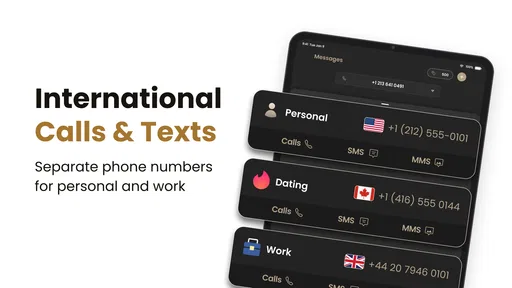
2nd Line+ Second Number & eSIM is designed to provide users with an additional phone number on their mobile device without needing a second SIM card. This app is ideal for separating personal and business communications, or managing multiple phone numbers for various purposes, all from one device.
How does the eSIM feature work in 2nd Line+?
The eSIM feature allows users to activate a digital SIM on compatible devices, eliminating the need for a physical SIM card. This makes it convenient to manage multiple numbers on one phone. Ensure your device supports eSIM functionality before downloading, as this is crucial for utilizing the app's full capabilities.
Is it possible to make international calls with 2nd Line+?
Yes, 2nd Line+ supports international calling. The app offers affordable rates for international calls, making it a practical choice for users who need to communicate globally. Be sure to check the specific rates and any applicable fees for international services within the app.
What are the privacy features of 2nd Line+?
2nd Line+ offers robust privacy features to protect your personal information. It allows you to keep your primary number private by using a second number for calls and texts. Additionally, the app provides end-to-end encryption for communications, ensuring secure interactions.
Are there any subscription fees for using 2nd Line+?
2nd Line+ typically operates on a subscription model, offering various plans depending on the features and services you need. While there may be a free trial period, ongoing use generally requires a subscription. It's advisable to review the pricing details within the app to understand the costs involved.
